Description
Tilvora adds a full-screen, real-time 3D floor visualizer to any WordPress site — no WooCommerce required. Customers rotate, zoom, and customize their floor — choosing tile designs, material finishes, and surface patterns — and see every change rendered instantly in 3D.
Key features
- Real-time 3D preview powered by a locally-bundled Three.js engine — no CDN calls, no external service required.
- Create unlimited Visualizer projects from WP Admin Tilvora Add New.
- Embed on any page or post using the
[tilvora id="X"]shortcode — outputs a “Design Your Floor” button. - Built-in GLB Config Builder tool: drag in your own
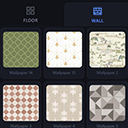
.glb3D model, map its mesh names to tile/material/pattern controls, and export a ready-to-use configuration — no coding required. - Materials Library (WP Admin Tilvora Materials Library) — a reusable catalog of tile and wallpaper materials. Fill in the specs already printed on a manufacturer’s data sheet (name, SKU, image, physical dimensions, price) and the visualizer works out real-world repeat/scale automatically. No Three.js, UV, or JSON editing required.
- Quote request modal — customers fill in their name, email, room dimensions (with automatic +10% waste calculation), and notes. The quote is emailed to the site admin and a confirmation is sent to the customer.
- Admin Quote Inbox (WP Admin Tilvora Quote Inbox) — every submitted quote is stored in a dedicated database table, listed with sortable columns and status tabs, and viewable in a detail card. Status can be set to New / Replied / Completed inline (with or without JavaScript).
- Live price breakdown — each tile design or finish option can carry its own price modifier, totalled automatically.
- Light/dark theme toggle, mobile-friendly bottom-sheet panel, PNG export of the final design.
- UI label overrides per project (brand name, button labels, etc.) via the Config JSON.
- Works with any GLB model exported from Blender or similar — not hardcoded to one mesh or product.
No WooCommerce dependency. The plugin works on any WordPress site.
Privacy / Third-Party Services
Tilvora makes no calls to any third-party service, CDN, or analytics endpoint. The 3D engine (Three.js r169) and Draco JS decoder are bundled locally with the plugin and served entirely from your own server. Quote requests are delivered via wp_mail() using your site’s configured email. No data is sent to any external party.
External services
Tilvora does not connect to, send data to, or load resources from any third-party or external service. The 3D engine (Three.js) and its Draco JS decoder are bundled with the plugin and served entirely from your own site — there is no CDN dependency and no outbound network call of any kind. Quote form submissions are sent via wp_mail() to your own site’s admin address.
Third-party libraries
- Three.js r169 — MIT License. Bundled in
assets/js/three/. Source: threejs.org - Three.js GLTFLoader — MIT License. Bundled in
assets/js/three/examples/jsm/loaders/. - Three.js DRACOLoader — MIT License. Bundled in
assets/js/three/examples/jsm/loaders/. - Three.js OrbitControls — MIT License. Bundled in
assets/js/three/examples/jsm/controls/. - Google Draco JS decoder — Apache 2.0 License. Bundled in
assets/js/three/examples/jsm/libs/draco/. JS-only build; the WebAssembly binary is not included.
Installation
- Upload the plugin folder to
/wp-content/plugins/, or install directly through Plugins Add New. - Activate the plugin.
- Go to WP Admin Tilvora Add New.
- Give the project a title, optionally upload a
.glb3D floor model and a Config JSON, then Publish. - Copy the shortcode shown in the metabox (e.g.
[tilvora id="42"]) and paste it into any page or post to add a “Design Your Floor” button.
FAQ
-
Does this require WooCommerce?
-
No. Tilvora is fully standalone — it works on any WordPress site.
-
Does this load anything from a CDN?
-
No. Three.js and the Draco decoder are bundled locally with the plugin and served from your own site.
-
How do customers request a quote?
-
Clicking “Get a Quote” in the visualizer opens a modal where the customer enters their details, room dimensions, and notes. The quote is sent to the admin email, a confirmation is sent to the customer, and the quote is stored in WP Admin Tilvora Quote Inbox.
-
Where do I manage incoming quotes?
-
WP Admin Tilvora Quote Inbox. Each quote shows the customer’s contact details, tile and finish selection, room dimensions, and notes. You can set the status to New, Replied, or Completed and use bulk actions to manage multiple quotes at once.
-
What happens if a customer’s browser doesn’t support WebGL?
-
The visualizer requires WebGL (standard in all modern browsers). On unsupported browsers the loader shows a friendly error instead of a blank screen.
-
Can I have multiple different floor visualizers on one site?
-
Yes — each Visualizer project (WP Admin Tilvora Add New) is independent, with its own model, config, and shortcode.
-
What is the Materials Library?
-
A reusable catalog of tile and wallpaper materials (WP Admin Tilvora Materials Library). Add a material once — with its name, SKU, image, physical dimensions, and price — and reuse it across any number of Visualizer projects; the real-world scale is calculated automatically from the dimensions you enter.
Reviews
There are no reviews for this plugin.
Contributors & Developers
“Tilvora – 3D Flooring Visualizer” is open source software. The following people have contributed to this plugin.
Contributors
Translate “Tilvora – 3D Flooring Visualizer” into your language.
Interested in development?
Browse the code, check out the SVN repository, or subscribe to the development log by RSS.
Changelog
1.0.0
- Initial release.